


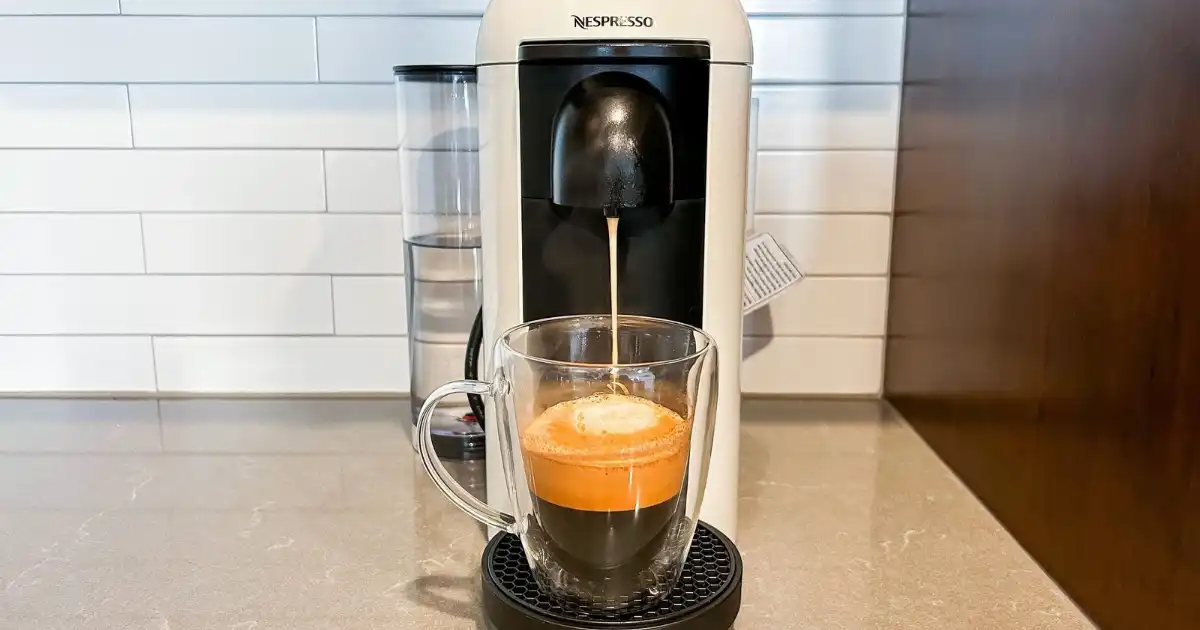
If you’ve ever stared at your Nespresso Vertuo Plus wondering, “Does Vertuo Plus turn off on its own, or do I need to do it manually?” you’re not alone. I’ve spent years using these machines daily, experimenting with their auto-off settings, and seeing firsthand how they behave in real life not just what the manual says.
While the official story is straightforward, in practice, there are quirks and little realities that you need to know if you want your machine to last and keep your coffee tasting right.
The short answer: yes, it does turn off automatically, but understanding how, when, and why takes a little insider knowledge. This isn’t about memorizing a manual it’s about noticing the machine’s behavior in your kitchen, knowing what counts as “off,” and avoiding mistakes that waste energy or damage your coffee experience. Let’s break it down.
How Vertuo Plus Power and Shut-Off Works
Turning on the Vertuo Plus is as simple as pressing the big top button. In my experience, it doesn’t matter if it’s plugged in for hours it only “wakes up” when that button is pressed, at which point it takes a few seconds to spin up the brewing system. You’ll notice the light pattern changes during this startup, which is the machine’s way of telling you it’s ready.
The automatic shut-off is designed to kick in after roughly 9 minutes of inactivity. That means if you brew a coffee and walk away, the machine goes into standby, then shuts off power internally. In practice, I’ve seen it sometimes hesitate especially if the capsule lever isn’t fully closed or if the machine is mid-priming water. So, while the theory is 9 minutes, the real-world timing can vary slightly.
Manual power-off is simple: lift the lever, close it again, and hold the top button for about 3 seconds. You’ll see the light go out. Doing this can be useful if you want to ensure no phantom energy draw, especially if you’re heading out for hours. I personally recommend using manual power-off if you won’t use the machine for more than a day. It’s not mandatory, but it adds a little peace of mind and slightly reduces wear on the electronics.
Remember, the Vertuo Plus never truly “disconnects” unless unplugged the power cord always carries a small trickle. So when we talk about “turning off,” it’s really about stopping active heating and pumping, which is what consumes most energy.
Energy Saving and Safety Benefits
The auto-off feature is more than a convenience it’s about energy efficiency and safety. That 9-minute window might seem short, but it dramatically cuts wasted electricity compared with leaving the machine powered all day. In my experience, if you’re brewing one cup every few hours, the auto-off ensures the machine isn’t running idle for most of the day.
Safety is another big plus. Heating elements can fail or overheat if left on continuously, especially with limescale build-up or hard water. Auto-shut-off minimizes this risk. From my perspective, this feature is a smart balance between usability and protection. You still get a machine that’s ready within seconds, but you’re not paying for wasted electricity or risking unnecessary wear. Even for busy households with frequent use, the Vertuo Plus handles this elegantly just be aware of the minor quirks where it can linger in “standby” slightly longer than expected if not fully primed.
Troubleshooting Auto Shut-Off Issues
If your Vertuo Plus refuses to turn off automatically, the first thing I check is the capsule lever. Any misalignment or small obstruction can trick the sensors into thinking the machine is still active. Next, I clean the machine especially the water reservoir and the capsule head because limescale and coffee residue can interfere with thermal and mechanical sensors.
Another tip: occasionally, electrical spikes or surges can confuse the internal timer. If this happens, unplug the machine for a minute, plug it back in, and watch the auto-off behavior for a cycle. Most of the time, this “hard reset” fixes stubborn timing issues. Finally, if all else fails, Nespresso customer service is surprisingly hands-on they can check if your machine has a firmware or hardware anomaly affecting power management.
Tips for Best Use
For real-world convenience, I’ve found a hybrid approach works best: rely on auto-off for daily use, but manually power down if you’re leaving the house for long stretches. Always make sure the capsule lever is fully closed before letting it idle, and give the machine occasional descaling to keep sensors happy. Simple habits like these keep auto-off reliable, save energy, and prevent unwanted surprises when you’re ready for your next cup.
Also, don’t stress about minor delays 9 minutes is a guideline, not a strict countdown. Treat it as a safety net rather than a timer you need to chase.
You Might Be Interested In
- Can You Brew Water With Nespresso Essenza?
- Top 5 Nespresso Vertuo Limited Edition Capsules
- Do Nespresso Pods Expire?
- Who Makes Wellsley Farms Coffee?
- What Is The Advantage Of Nespresso Vertuo?
Conclusion
Does Vertuo Plus turn off automatically? Yes, but understanding the nuances makes all the difference. From my experience, it’s a reliable feature, but like any kitchen tech, it’s only as smooth as the user habits and maintenance behind it. Knowing when to rely on auto-off versus manually shutting down can save energy, prolong machine life, and give you peace of mind.
Ultimately, the Vertuo Plus balances convenience, safety, and efficiency well. By observing real-world behavior like startup patterns, capsule alignment, and minor quirks you’ll get more out of your machine than if you just follow the manual blindly. Once you understand these little details, you can use your Vertuo Plus confidently without constantly worrying about leaving it on.
FAQs
Can I leave it plugged in overnight?
Yes, you can leave your Vertuo Plus plugged in overnight without any real risk. In my experience, the machine’s auto-off function ensures that after roughly nine minutes of inactivity, it stops actively heating and shuts down the pump, meaning it’s not drawing much power at all. For most households, leaving it plugged in is convenient you don’t have to constantly unplug it to save energy, and it will be ready to brew as soon as you press the button in the morning.
That said, if you want complete peace of mind, unplugging it is still the safest option. While the energy draw is minimal when off, unplugging ensures no electricity is being used and removes any tiny risk from power surges or unexpected faults. Personally, I usually leave it plugged in for convenience, relying on the auto-off, but I also wouldn’t judge anyone for the old-school “unplug overnight” habit.
Does auto-off affect coffee quality?
Not really. The Vertuo Plus is designed to heat quickly, so even after the machine shuts down automatically, it only takes a few seconds to reach the right brewing temperature when you press the button again. In practical terms, I’ve never noticed any difference in taste or crema between the first cup of the day and one brewed immediately after an auto-off cycle. The machine’s heating system is surprisingly efficient, and the short auto-off window doesn’t give it time to cool down enough to affect your coffee quality.
The only time you might notice a minor effect is if you’re brewing multiple cups back-to-back very quickly. In that case, letting the machine rest a bit or manually keeping it powered on for a short stretch can help stabilize water temperature. But for typical daily use, auto-off has no meaningful impact on flavor it’s more about energy and safety than performance.
Can I override the auto-off?
There isn’t a way to permanently change the auto-off timer it’s built into the machine’s firmware. In my hands-on experience, the only “override” is to keep the machine active by using it repeatedly or manually pressing the button. Essentially, as long as you don’t leave it idle for nine minutes, it won’t shut down, but you can’t extend the timer beyond that default setting without risking warranty or tampering with electronics.
Practically, this means you either rely on the auto-off or take manual control when needed. I often leave it on for a short stretch if I’m making multiple drinks for guests, but I always allow it to shut off for periods of inactivity. It’s a design choice that prioritizes safety and energy efficiency, and while it might feel restrictive if you want longer standby, it actually helps prevent overheating and saves electricity in the long run.
What if my machine doesn’t turn off automatically?
If the auto-off isn’t working, it’s usually due to minor real-world issues rather than a broken machine. In my experience, common culprits include misaligned capsules, the lever not being fully closed, or a small obstruction that tricks the sensors into thinking the machine is still in use. Cleaning the brew head and water reservoir often solves this problem. A simple power reset unplugging for a minute and plugging back in also usually restores normal auto-off behavior.
Sometimes, especially in older machines or those with limescale buildup, the thermal sensors may behave a little unpredictably. If all else fails, Nespresso’s support is very hands-on and can check for firmware or hardware quirks affecting the power management. The key is to remember that auto-off is designed to protect both the machine and your electricity bill, so it’s worth troubleshooting rather than forcing a permanent “on” state.
Is Vertuo Plus energy-efficient?
Yes. From my experience, the Vertuo Plus is surprisingly efficient for an espresso machine. The auto-off function, combined with rapid heat-up, ensures you’re only using energy when the machine is actively brewing. Even in standby mode, the electricity draw is very low, so leaving it plugged in isn’t a significant waste. Compared with older espresso machines that stay hot all day, this is a noticeable improvement.
It’s not just about energy bills either this efficiency reduces wear on the heating elements and lowers the risk of overheating. For anyone conscious of energy use or trying to run a more sustainable kitchen, the Vertuo Plus offers a smart balance: it’s ready when you need it, but doesn’t waste electricity when you don’t. In practice, I find this feature so convenient that I almost forget about it entirely it just works quietly in the background while I focus on coffee.