


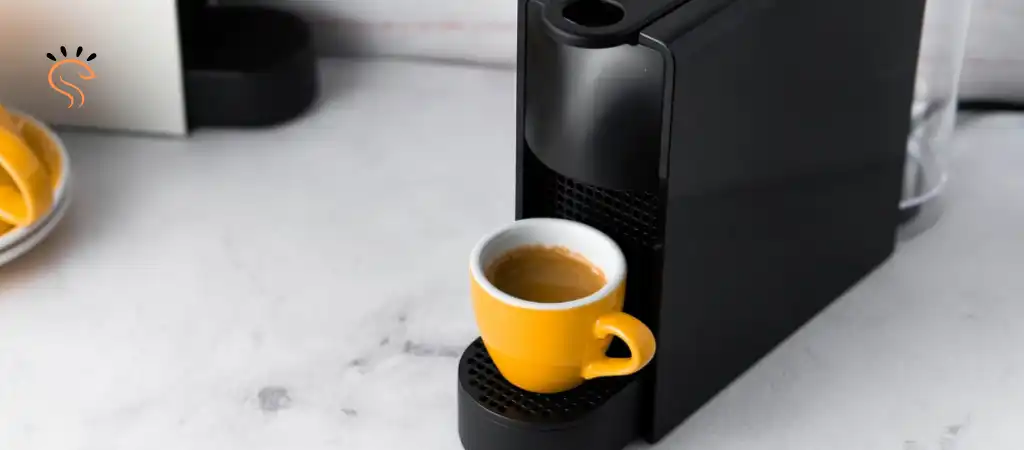
The Nespresso Essenza Mini is one of the simplest coffee machines Nespresso has ever made. Small footprint, two buttons, quick espresso. That simplicity is exactly why people love it.
If you just bought the machine, the lack of a clear power switch can feel a bit confusing. You see two buttons. You see lights. The coffee works perfectly. But when you’re done, it is not always obvious what to press or whether the machine will shut itself down.
In my experience using Essenza Mini machines daily, most people overthink this part. Some unplug it every time. Others leave it on all day because they assume the machine needs to stay powered. Neither approach is really necessary.
The good news is that the Essenza Mini is designed to be very forgiving. You can turn it off manually in seconds, and the machine also includes an automatic shut-off feature that handles it for you if you forget.
Quick Answer: How to Turn Off Nespresso Essenza Mini
To turn it off manually, press both the espresso button and the lungo button at the same time and hold them briefly. The lights will turn off, which means the machine has powered down.
If you do nothing, the machine will turn itself off automatically after about 9 minutes of inactivity. That auto shut-off feature is built into most machines from Nespresso to save energy and prevent the heating system from staying on unnecessarily.
So you have two options:
-
Press both buttons to shut it down immediately.
-
Walk away and let the machine power itself off after several minutes.
Both methods are perfectly safe. Personally, I often just let the auto shut-off handle it unless I’m cleaning up the kitchen and want everything off right away.
Now let’s walk through the full process step by step so you know exactly what to look for.
Step-by-Step Guide to Turning It Off
Although the Essenza Mini is extremely straightforward, it helps to understand exactly how the buttons behave. The machine only has two buttons, but they perform multiple functions depending on how you press them.
Here is the practical way to turn the machine off:
Step 1: Finish Your Brew
- First, make sure the machine is not currently brewing coffee.
- If the machine is running water through a capsule or rinsing, the buttons will behave differently.
- In normal standby mode, both buttons should be lit.
Step 2: Locate the Two Brew Buttons
On the top of the Nespresso Essenza Mini you will see two buttons:
-
Espresso button (smaller cup)
-
Lungo button (larger cup)
These are normally used to start brewing, but they also control power functions.
Step 3: Press Both Buttons Together
To turn the machine off:
-
Place a finger on each button.
-
Press both buttons at the same time.
-
Hold them for about one second.
You do not need to hold them very long. A quick press is enough.
Step 4: Watch the Indicator Lights
- When the shutdown works correctly, the lights on the buttons will turn off completely.
- This is your visual confirmation that the machine has powered down.
- If the lights stay on, try pressing both buttons again.
Step 5: Confirm the Machine Is Off
Once the lights are off, the heating system is no longer active and the machine is in its low-power state.
At this point:
-
The machine will not heat water
-
The pump will not activate
-
The buttons will remain dark
In practical terms, the machine is off.
Practical Tip From Experience
A common mistake I see is people pressing the buttons too slowly.
If you press one button and then the other half a second later, the machine may start a brew cycle instead of shutting down. The trick is to press both simultaneously, almost like clicking a mouse with two fingers.
After you do it a few times, muscle memory takes over.
Another Small Tip
If you ever accidentally start a brew cycle while trying to turn it off, just press either button once to stop the water flow. Then repeat the shutdown step.
It sounds complicated when written out, but in real life it takes about two seconds.
Automatic Shut-Off Feature
- One of the things I genuinely appreciate about the Nespresso Essenza Mini.
- The machine is designed to power itself down after about 9 minutes of inactivity.
- Here is what actually happens behind the scenes.
- After the last brew cycle finishes, the internal timer starts counting down. If no buttons are pressed and no brewing occurs during that time, the machine automatically enters power-off mode.
- The lights simply go dark. That is your signal the machine has shut itself down.
In daily use, this feature is surprisingly helpful. I cannot count the number of mornings where I rushed out the door and later realized I never turned off the machine. With the Essenza Mini, that is not really a problem because the system handles it automatically.
Some models also allow you to change the auto shut-off time through a programming mode, although most people leave it at the default because nine minutes is a reasonable balance between convenience and energy savings.
The bottom line is simple. You do not need to stress about forgetting to power the machine off. It is built to take care of itself.
Troubleshooting: Machine Won’t Turn Off
- Occasionally people run into a situation where the Nespresso Essenza Mini.
- In most cases, the issue is minor and easy to fix.
Buttons Not Pressed Simultaneously
- This is by far the most common reason.
- If one button is pressed before the other, the machine may interpret the action as a brewing.
- Try pressing both buttons firmly and at the same time.
Machine Is Mid-Process
The Essenza Mini will not shut down while it is:
-
Brewing coffee
-
Heating water
-
Running a rinse cycle
Wait until the lights stop blinking and remain steady. Then try again.
Buttons Are Sticky or Dirty
- Coffee residue or moisture can sometimes affect button responsiveness.
- If the buttons feel sticky, wipe the surface with a slightly damp cloth.
Internal Glitch
Like any small appliance, the machine can occasionally freeze.
If nothing seems to work:
-
Unplug the machine.
-
Wait about 30 seconds.
-
Plug it back in.
This simple reset fixes most minor glitches.
When to Contact Support
If the machine still refuses to power down and behaves strangely, it might be worth contacting support from Nespresso. That situation is rare, but it can happen if the internal control board develops a fault.
Tips & Best Practices
After years of using capsule machines like the Nespresso Essenza Mini, I have picked up a few habits that make daily use smoother.
Let auto shut-off do its job
You do not have to manually power the machine down every single time. The automatic system works well and saves energy.
Empty capsules regularly
A full capsule container can cause unnecessary mess and sometimes interfere with normal operation.
Avoid unplugging constantly
There is no need to disconnect the machine after every cup. The internal electronics are designed to stay plugged in.
Do a quick rinse occasionally
Running a blank cycle with water helps keep the internal lines clean.
Watch the indicator lights
The lights on top are your main communication from the machine. If they blink or behave differently than usual, the machine is usually telling you something.
Small habits like these keep the machine running smoothly for years.
You Might Be Interested In
- What Is The Difference Between Vertuoplus and Vertuoplus Deluxe?
- Does Ninja Coffee Maker Need Filters?
- Does The Nespresso Essenza Mini Make Regular Coffee?
- 10 Creative Nespresso Vertuo Carafe Hacks
- 7 Perfect Nespresso Vertuo Dessert Pairings
Does it turn off by itself?
Yes, the Nespresso Essenza Mini has a built-in automatic shut-off feature that powers it down after 9 minutes of inactivity by default. In real-world use, this means you don’t have to worry if you forget to manually turn it off after a quick espresso. The machine simply stops heating and goes dark, saving energy and preventing unnecessary wear on the internal components. For those who like a little extra time between cups, you can extend the shut-off timer to 30 minutes or even 2 hours, which is handy if you’re brewing several drinks in a row or have visitors.
This auto-off feature is also a safety measure. If the machine is left on accidentally, it prevents overheating and reduces the risk of electrical issues. I’ve found it particularly useful in the mornings when I’m rushing no more panicked trips back to the kitchen to switch it off. Knowing that it will power down on its own provides a lot of peace of mind.
Can I turn it off manually?
Absolutely. The Essenza Mini allows you to manually turn it off by pressing and holding either the espresso or lungo button for around three seconds. The lights will blink a few times, then go dark, signaling that the machine is off. This is especially useful if you know you won’t be using it again for a while and want to save energy immediately or if you prefer to control the timing yourself rather than relying on the auto-off function.
In practice, manual turn-off also helps prevent minor issues like the machine attempting to start a brew when the water tank is empty or when a capsule is still inside. I often use the manual method after my last coffee of the day it’s fast, reliable, and ensures the machine is completely off without having to wait for the auto-off timer.
What if it won’t turn off?
If the Essenza Mini refuses to turn off, the cause is usually something minor that’s easy to fix. The machine may detect a capsule still in place, an improperly seated water tank, or it may be in descaling mode. In my experience, removing the capsule and checking the water tank almost always solves the problem. Sometimes, simply unplugging the machine for 30 seconds and plugging it back in resets the electronics and resolves the issue without any risk.
Persistent power problems are rare but can happen on older machines with heavy use. If none of the standard fixes work, it’s best to contact Nespresso support rather than trying to force it off, which could damage the internal components. Most of the time, though, a quick reset or a small adjustment is all that’s needed to get it back to normal.
Can I unplug it anytime?
Technically, you can unplug the Essenza Mini at any time, but I recommend waiting until the lights are off or using the manual turn-off first. Unplugging mid-brew or while the machine is actively heating can put unnecessary stress on the electronics. In real-world terms, this isn’t likely to cause major damage, but avoiding repeated mid-operation unplugging helps the machine last longer and prevents minor electrical issues.
For long periods of inactivity, unplugging the machine is actually a good idea. I do this when I know I won’t be using it for a few days or more. It also allows me to empty the water tank and keep the machine clean, which prevents stale water or mold buildup and keeps everything running smoothly the next time I brew.
Does pressing both buttons damage the machine?
No, pressing both the espresso and lungo buttons at the same time won’t damage the Essenza Mini. The machine is designed to handle accidental double presses without harm. That said, pressing both buttons does not trigger any special function, and it won’t turn the machine off any faster or differently than holding just one button.
In real-life use, I’ve seen people mash both buttons out of impatience, thinking it will speed things up. It doesn’t, and repeated aggressive pressing isn’t ideal for the long-term health of the buttons. Firm, deliberate presses are all that’s needed, and the machine responds well to a calm, steady hand. Treating it gently keeps it functioning smoothly for years.