


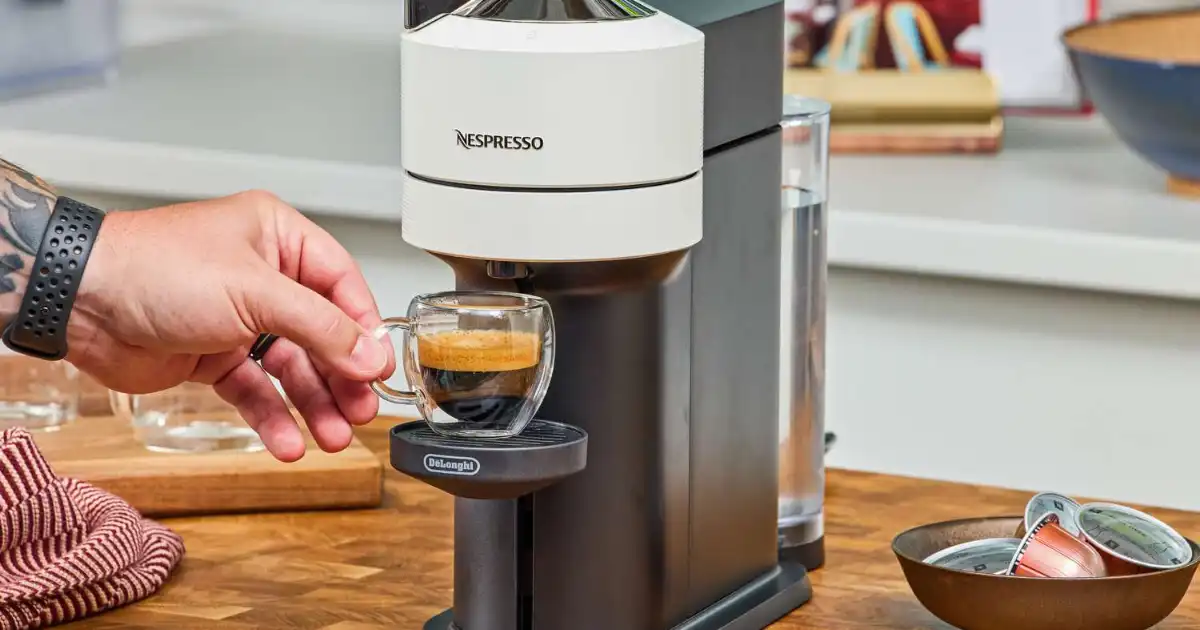
If you’ve been eyeing a Nespresso Vertuo machine, you might have heard some chatter about Bluetooth connectivity. Maybe you’ve imagined sitting on your couch, commanding your coffee machine via an app while still in your pajamas. Sounds great in theory, but what’s actually true? Does The Nespresso Vertuo Have Bluetooth?
In my experience, this is where a lot of people get confused. Not all Vertuo machines are Bluetooth-enabled, and even the ones that are don’t always deliver exactly what you’d expect. Understanding which models have Bluetooth, what it really does, and how to use it can save you frustration and maybe even a burned thumb if you try to troubleshoot on your own.
At its core, some Vertuo machines do have Bluetooth, but it’s not as flashy as “remote-control-your-coffee-from-anywhere” marketing might imply. Bluetooth is mostly about updates, monitoring, and diagnostics rather than brewing from another room. Knowing this distinction upfront makes a big difference in setting your expectations and avoiding disappointment.
Nespresso Vertuo Models
The Vertuo lineup can feel a little overwhelming at first: there’s the Classic Vertuo, VertuoPlus, Vertuo Next, and the newer Vertuo Pop. Each machine looks sleek and modern, but their tech features vary. The Classic Vertuo and VertuoPlus models do not have Bluetooth. They are solid, dependable machines, but they stick to the basics: brew buttons, capsules, and water tanks. No app connection, no updates via phone, just straightforward coffee.
Bluetooth starts to appear with the Vertuo Next and Vertuo Pop models. In my experience using the Vertuo Next, Bluetooth is primarily for software updates and machine status tracking through the Nespresso app. That means your machine can occasionally get firmware improvements, track capsule usage, and even alert you if something’s off but it doesn’t brew coffee on command from your phone. The Vertuo Pop, being more recent, also supports Bluetooth, though its functionality is similar.
The reasoning behind this is simple: Nespresso sees Bluetooth as a maintenance and monitoring tool, not a full smart-home feature. Adding it to older or mid-range machines would have added cost without much real-world value, and that’s why Classic Vertuo and VertuoPlus skipped it entirely.
Does Nespresso Vertuo Really Have Bluetooth?
Short answer: only some models do. If you have a Vertuo Next or Vertuo Pop, yes there’s Bluetooth. If you have a Classic Vertuo or VertuoPlus, no, you won’t find it. I’ve seen a lot of confusion online because product images and marketing materials sometimes suggest all Vertuos are “connected,” which is misleading.
The key thing to understand is that Bluetooth isn’t universal across the lineup. Some people buy a VertuoPlus thinking it’s app-connected, only to realize later that it isn’t. In practice, this means the presence of Bluetooth is model-specific, and it’s meant for software improvements and diagnostics, not for “magic phone-controlled brewing.”
What Bluetooth Does on Vertuo Machines
So, what does Bluetooth actually do when it’s on your Vertuo? In real-world use, it mainly handles software updates, usage tracking, and alerts. For example, your Vertuo Next might download a firmware update to fix minor bugs or optimize the brewing cycle. Bluetooth also lets the Nespresso app tell you if you’re low on capsules or if your machine needs descaling.
In my experience, these features are helpful but not revolutionary. You won’t press a button on your phone and have a latte appear immediately. What Bluetooth does allow is better maintenance insights which can save you from unexpected breakdowns. For example, I once ignored a machine alert for a minor error, thinking it was nothing. Had the Bluetooth functionality been disabled, I wouldn’t have gotten the warning until the machine completely jammed. So in practice, Bluetooth is mostly a convenience and safety feature, rather than a productivity booster.
How to Tell if Your Machine Has Bluetooth
Checking whether your Vertuo has Bluetooth is simpler than you might think. First, look at the model name: if it’s Vertuo Next or Vertuo Pop, it has Bluetooth. Classic Vertuo and VertuoPlus don’t.
Another practical way is to check the manual or the Nespresso website. In my experience, the machine’s labeling can sometimes be misleading. For example, some older Vertuo Next models don’t make it obvious that they’re Bluetooth-enabled. The easiest confirmation is to try pairing it with the Nespresso app. If the app detects your machine, you’re good; if not, it’s likely a non-Bluetooth model.
How to Connect Your Vertuo to Bluetooth
Connecting a Bluetooth-enabled Vertuo is straightforward but requires a few steps:
-
Download the Nespresso app from your app store.
-
Turn on your machine and ensure it’s in pairing mode (usually involves holding the brew button until it blinks).
-
Open the app and select Add Machine or Connect Machine.
-
Follow on-screen prompts. The app should detect your Vertuo Next or Vertuo Pop.
-
Complete the pairing and allow any firmware updates.
Common issues I’ve seen include the machine not appearing in the app or the pairing timing out. A quick fix is to ensure your phone’s Bluetooth is on, the machine is close to your device, and no other Bluetooth devices are interfering. Sometimes, restarting both the machine and your phone resolves stubborn connection problems.
Common Bluetooth Issues & Troubleshooting
Bluetooth on Vertuo machines isn’t perfect. In my experience, the most common hiccups are failed pairing, missed updates, or intermittent connectivity. If your machine fails to connect, first check the firmware version in the app outdated app versions can block pairing.
Another issue is interference from other devices. I’ve had success simply moving the machine and phone to a different countertop, away from routers or microwaves. Also, don’t assume the app will automatically push every update; occasionally, you need to manually trigger it. Finally, if Bluetooth keeps dropping, a full reset of the Vertuo machine often clears minor bugs.
Benefits & Limitations of Bluetooth on Vertuo Machines
The benefits are mostly maintenance-related. Bluetooth lets your machine stay updated, warns you about issues, and can even track capsule usage useful if you’re trying to budget your coffee habit.
The limitations are just as important. You can’t brew coffee from your phone, and the feature is model-specific. For some users, Bluetooth is almost invisible in day-to-day use. In my experience, the main benefit is avoiding headaches from firmware issues and getting timely alerts rather than turning your Vertuo into a “smart home gadget.”
You Might Be Interested In
- Does Nespresso Have Milk In It?
- Best 7 Nespresso Vertuo-compatible Pods Alternatives
- Can Nespresso Vertuo Use Normal Pods?
- 7 Nespresso Vertuo Milk Frother Tricks to Try
- Top 5 Nespresso Vertuo Limited Edition Capsules
Conclusion
Bluetooth on Nespresso Vertuo machines is real but limited. Only the Vertuo Next and Vertuo Pop have it, and its purpose is maintenance, updates, and monitoring not remote coffee brewing. In real-world use, it’s convenient for keeping your machine healthy and avoiding unexpected errors, but it won’t magically improve your espresso or cappuccino skills.
If you’re buying a Vertuo primarily for Bluetooth, make sure you’re aware of what it actually does. For most people, coffee quality, capsule variety, and ease of use matter more than app connectivity. In my experience, understanding the practical role of Bluetooth and its limitations will save you confusion, disappointment, and a few unnecessary tech headaches.
FAQs about Does The Nespresso Vertuo Have Bluetooth?
Can I use the Nespresso app with a VertuoPlus or Classic Vertuo?
No, unfortunately you cannot. The VertuoPlus and Classic Vertuo models do not come with Bluetooth, which means the Nespresso app won’t detect them at all. In my experience, trying to connect these machines can be confusing for new users because the app makes it seem like every Vertuo is “smart” or app-compatible.
If you own one of these machines, you’ll need to handle updates, descaling, and general maintenance manually. The upside is that these machines are very straightforward no apps, no connectivity headaches they just brew your coffee consistently every time.
Do I need Bluetooth to get firmware updates?
Yes, only machines equipped with Bluetooth, like the Vertuo Next or Vertuo Pop, can receive firmware updates through the Nespresso app. In real-world use, these updates are usually minor, fixing brewing timing, capsule recognition, or alert systems.
They won’t dramatically change how your coffee tastes, but they can prevent small errors or annoying glitches. Without Bluetooth, your machine will simply continue to function as-is, which works fine for most users, but you won’t get those automatic behind-the-scenes improvements that sometimes help your machine run smoother over time.
Will Bluetooth improve coffee taste?
No, Bluetooth has zero impact on the actual flavor of your coffee. In my experience, people sometimes expect that connecting their machine to the app will magically make espresso or lungo taste better, but it doesn’t. Coffee quality is determined by the freshness of your capsules, water quality, and keeping the machine clean and descaled.
What Bluetooth can do is alert you to maintenance issues like a needed descaling cycle that, if ignored, could eventually affect taste. So in a roundabout way, it can help preserve flavor, but it’s not a flavor-enhancing feature by itself.
Can Bluetooth fail and still let the machine brew?
Absolutely. Bluetooth is entirely optional when it comes to brewing. If the connection drops or fails, the machine will continue to brew coffee normally. I’ve seen cases where users panic thinking their machine is broken just because the app couldn’t connect, only to find everything works perfectly when they press the brew button.
Essentially, Bluetooth is a convenience tool for monitoring, updates, and alerts it doesn’t control the core brewing mechanics. So even if the connection is glitchy, your coffee routine is safe.
Is it worth buying a Bluetooth-enabled Vertuo?
It depends on what you value most. If you like having your machine report issues, track capsule usage, and receive firmware updates automatically, then yes, Bluetooth adds some peace of mind. In my hands-on experience, it’s most useful for keeping your machine in top shape and avoiding preventable problems.
On the other hand, if you just want a reliable cup of coffee without worrying about apps or connectivity, a VertuoPlus or Classic Vertuo is perfectly fine. The coffee quality is the same, and you save yourself a bit of tech hassle. In short, Bluetooth is a nice-to-have rather than a must-have it’s about maintenance and convenience, not better coffee.