



Cuisinart coffee makers are known for their quality and ease of use, and the Cuisinart 14-Cup coffee maker is no exception. Whether you’re a coffee enthusiast or just looking for a convenient way to start your day, programming your Cuisinart coffee maker can make your mornings a whole lot smoother.
In this comprehensive guide, we will walk you through the step-by-step process of programming your Cuisinart 14-Cup coffee maker, from setting the time to brewing your perfect cup of coffee. We’ll also address some common questions users have about this machine.
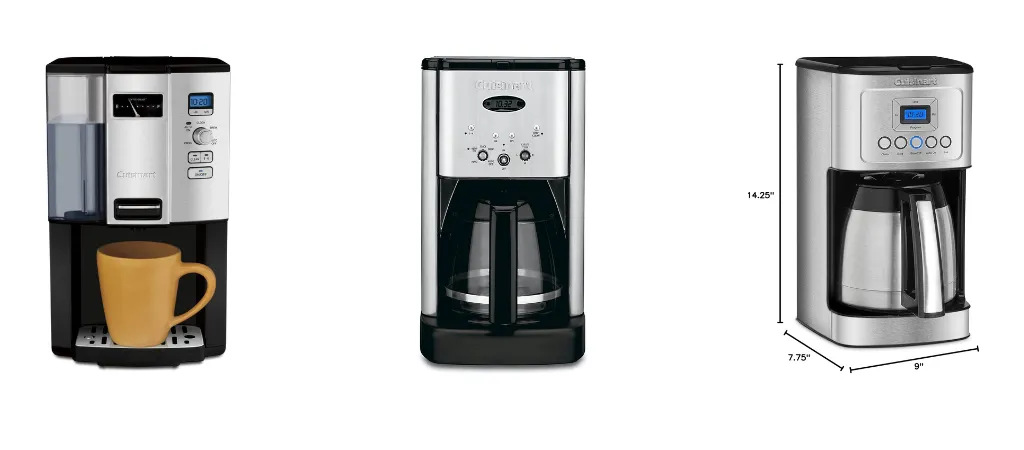
Step 1: Unboxing and Initial Setup
Before we dive into programming your Cuisinart 14-Cup,
let’s make sure it’s set up correctly:
Unbox the coffee maker:
Carefully remove the coffee maker from its packaging, making sure not to damage any parts or components.
Check the contents:
Ensure that all the necessary components, including the carafe, coffee filter, and user manual, are present.
Wash the carafe and filter:
It’s essential to clean the carafe and coffee filter before using them for the first time. Use mild soap and warm water, rinse thoroughly, and allow them to dry completely.
Place the coffee maker:
Find a suitable location for your coffee maker, preferably near an electrical outlet. Make sure there is enough space for the coffees maker, and it’s on a flat, stable surface.
Plug in the coffee maker:
Carefully plug the machine into the electrical outlet and ensure it’s securely connected.
Now that you’ve completed the initial setup, it’s time to program your Cuisinart 14-Cup coffee maker.
Step 2: Setting the Time
Programming your coffees maker typically starts with setting the current time on the machine. This is a crucial step for the automatic brewing feature, which allows you to schedule when your coffee starts brewing.
Locate the control panel:
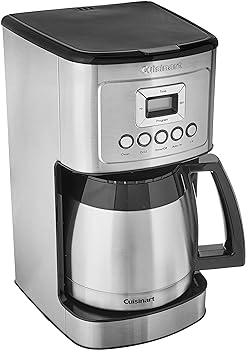
On your Cuisinart 14-Cup coffees maker, the control panel is usually found on the front, near the top.
Find the “Clock” button:
Look for the “Clock” button or a similar option on the control panel. Press it to set the time.
Adjust the hours and minutes:
After pressing the “Clock” button, you’ll be able to adjust the hours and minutes using the provided buttons or dials. Make sure to set the correct time.
AM/PM setting:
Be sure to specify whether it’s morning (AM) or evening (PM) by using the appropriate indicator on the display.
Save the time:
Once you’ve set the time, press a confirmation button (often labeled “Set” or “Program”) to save your settings.
Your Cuisinart coffee maker now has the correct time, which is essential for scheduling your brew times.
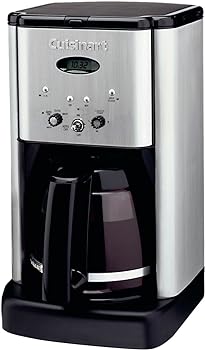

Step 3: Programming the Auto-Brew Feature
The Cuisinart 14-Cup coffee maker comes with a convenient auto-brew feature, allowing you to have freshly brewed coffee waiting for you in the morning.
Here’s how to program it:
Identify the auto-brew button:
Look for a button labeled “Auto On” or “Program” on the control panel.
Press the auto-brew button:
Once you’ve found the button, press it to activate the auto-brew feature.
Set the brew time:
After pressing the auto-brew button, you should see the display prompt you to set the brew time. Use the provided buttons or dials to adjust the hours and minutes. Be sure to specify AM or PM.
Confirm the setting:
After setting the brew time, press a confirmation button (often labeled “Set” or “Program”) to save your scheduled brew time.
Your Cuisinart coffee maker will now automatically start brewing at the time you’ve specified. Ensure you’ve added water and coffee grounds to the machine before the scheduled brew time to have a fresh pot of coffee ready.
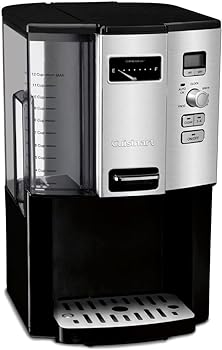

Step 4: Selecting Brew Strength
The Cuisinart 14-Cup coffee maker offers multiple brew strength options, allowing you to tailor your coffee to your taste.
You can usually choose between regular and bold brew strength:
Locate the brew strength button:
Look for a button labeled “Brew Strength” on the control panel.
Press the brew strength button:
Press the “Brew Strength” button to toggle between regular and bold brew options. The display should indicate your chosen strength.
Confirm your selection:
Once you’ve chosen your preferred brew strength, press a confirmation button (often labeled “Set” or “Program”) to save your selection.
Selecting “Regular” will result in a milder brew, while choosing “Bold” will yield a stronger, more robust cup of coffee.
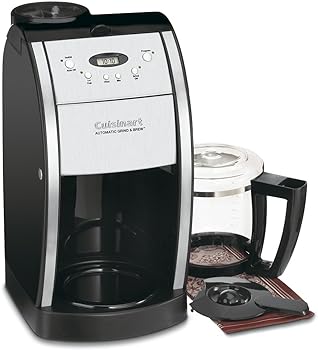

Step 5: Filling the Water Reservoir and Coffee Grounds
Before each brewing cycle, you need to ensure that the coffee maker has enough water and coffee grounds.
Follow these steps:
1. Open the water reservoir lid:
Lift the lid on top of the coffee maker to access the water reservoir.
2. Add water:
Using the included carafe or another container, pour cold, clean water into the water reservoir. Ensure you don’t overfill it, as there’s usually a maximum fill line indicated.
3. Add coffee grounds:
Open the coffee filter compartment, usually located at the top of the coffee maker. Insert a coffee filter and add your preferred amount of coffee grounds.
4. Close the lids:
Close both the water reservoir lid and the coffee filter compartment lid securely.
Your Cuisinart 14-Cup coffee maker is now ready to brew your coffee based on your programmed settings.

Step 6: Brewing Your Coffee
Once you’ve set the time, programmed the auto-brew feature, selected the brew strength, and filled the water reservoir and coffee grounds, you’re all set to brew your coffee:
- Ensure the coffee maker is plugged in and turned on.
- Press the “On” or “Start” button on the control panel. The coffee maker will now start the brewing process according to your programmed settings.
- Wait for the brew cycle to complete. This usually takes a few minutes, during which you can enjoy the delightful aroma of freshly brewed coffee.
- Once the brew cycle is finished, the coffee maker will keep the brewed coffee warm for a certain period, typically indicated in the user manual.
- Carefully pour a cup of coffee using the carafe, and enjoy your perfectly brewed coffee.
Step 7: Cleaning and Maintenance
Proper maintenance of your Cuisinart 14-Cup coffees maker is essential to keep it in good working condition and ensure that your coffee always tastes its best.
Here are some maintenance tips:
Regularly clean the coffee maker:
Wipe down the exterior of the machine with a damp cloth to remove any coffee spills or stains. Clean the carafe and coffee filter regularly to prevent the buildup of coffee residue.
Descaling:
Over time, mineral deposits from water can accumulate in your coffee maker, affecting its performance. Descaling is the process of removing these deposits. Consult your user manual for specific descaling instructions.
Replace water filter:
If your coffee maker is equipped with a water filter, replace it according to the manufacturer’s recommendations to maintain water quality and taste.
Empty the carafe and coffee grounds:
After each use, empty the carafe and remove used coffee grounds to prevent any lingering odors or tastes.
Check for clogs or blockages:
Periodically inspect the coffee filter compartment and other parts of the machine to ensure there are no blockages that could impede the brewing process.
You Might Be Interested In
- How to Use and Clean a Mini Milk Frother with Style
- How to Use a Small Battery Operated Milk Frother
- How To Clean Krups Coffee Maker?
- How To Descale Smeg Coffee Maker?
- How To Use A Cuisinart Coffee Maker?

Conclusion
Programming your Cuisinart 14-Cup coffee maker is a simple yet valuable skill that can enhance your morning routine and ensure a fresh cup of coffee is waiting for you. By following the step-by-step guide outlined in this article, you can set the time, program the auto-brew feature, select your preferred brew strength, and brew delicious coffee to kickstart your day.
Remember to maintain your coffee maker by cleaning it regularly, descaling when necessary, and following the manufacturer’s recommendations for care and maintenance. By doing so, you’ll keep your Cuisinart 14-Cup coffee maker in excellent condition and enjoy consistent, flavorful coffee every time you use it.
With this comprehensive guide, you should now have all the information you need to program your Cuisinart 14-Cup coffee maker with confidence and expertise.
FAQ’s about Program a Cuisinart Coffee Maker 14-Cup
How can I make iced coffee with my Cuisinart 14-Cup coffee maker?
To make iced coffee, brew a strong batch of coffee using the bold brew strength option. Once brewed, allow the coffee to cool to room temperature, then refrigerate it. When serving, pour the chilled coffee over ice and add your desired milk or sweeteners.
Can I program my coffee maker to brew multiple times a day?
Most Cuisinart 14-Cup coffee makers are designed to allow only one programmed brew time per day. To have multiple brews at different times, you would need to manually start each brewing cycle.
What should I do if my coffee maker displays an error code or malfunctions?
If your coffee maker displays an error code or experiences a malfunction, refer to the user manual for troubleshooting instructions. It’s essential to follow the manufacturer’s recommendations to address specific issues.
How often should I descale my coffee maker?
The frequency of descaling depends on the hardness of your water and how often you use the coffee maker. In areas with hard water, it’s generally recommended to descale every one to three months. If you notice a decrease in performance or brewing time, it’s a good indicator that descaling is needed.
Can I use pre-ground coffee or only whole beans in my Cuisinart 14-Cup coffee maker?
You can use pre-ground coffee in your Cuisinart coffee maker. Just place the coffee grounds in the filter as you would with whole beans. The machine will brew coffee from pre-ground coffee just as easily.