


Coffee is a beloved beverage enjoyed by millions of people around the world. Whether you’re a casual coffee drinker or a true connoisseur, having a reliable coffee maker can make a world of difference in the quality and convenience of your daily brew.
Bunn coffee makers are renowned for their efficiency, speed, and consistent results. In this comprehensive guide, we will walk you through step-by-step instructions on how to use a Bunn coffee maker, ensuring that you can enjoy a perfect cup of coffee every time. Additionally, we’ll address five frequently asked questions to help you troubleshoot common issues and maximize your coffee-making experience.
Unboxing and Setup
Inspecting the Package
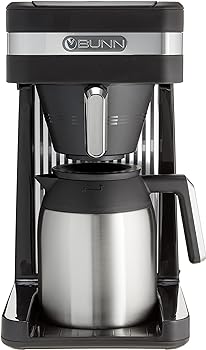
Before you start brewing coffee with your Bunn coffee maker, it’s essential to unpack and inspect the contents of the package. Inside the box, you should find the coffee maker, a user manual, and any additional accessories that might come with your specific model, such as a thermal carafe or a warmer plate.
Assembling the Coffee Maker
Assembling your Bunn coffee maker is generally straightforward. Start by removing any protective packaging or stickers.
Then, follow these steps:
- Place the coffee maker on a stable, level surface. Make sure it’s close to an electrical outlet.
- Attach the drip tray or warmer plate if it’s a part of your model.
- Inspect the water reservoir, coffee funnel, and filter basket to ensure they are clean and free from any debris or residue.
Water Reservoir Preparation
The water reservoir in your Bunn coffee maker is a key component.
To prepare it for brewing, follow these steps:
- Lift the lid of the water reservoir.
- Fill the reservoir with cold, clean water. The amount of water you add depends on the size of your coffee maker and the number of cups you want to brew. Check the user manual for specific guidance.
Plugging In and Powering On
Now that your coffee maker is assembled and the water reservoir is filled, it’s time to power it on:
- Plug the coffee maker’s power cord into a grounded electrical outlet.
- Turn on the coffee maker using the power switch or button, typically located on the front or side of the machine.
- Allow the coffee maker to warm up. Bunn coffee makers are known for their quick brewing times, so it shouldn’t take long.
The Brewing Process
Filling the Water Reservoir
With the coffee maker powered on and the water reservoir filled, you’re ready to start brewing:
- Open the lid of the water reservoir.
- Position your coffee pot or carafe on the warming plate or drip tray beneath the coffee funnel.
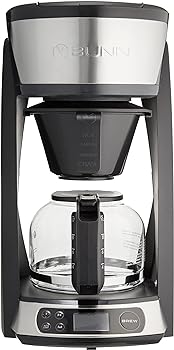
- To begin the brewing process, pour cold water into the reservoir at the top of the coffee maker. Ensure that you add the appropriate amount of water for the number of cups you want to brew, as specified in the user manual.
Preparing the Coffee Grounds
While the water is heating up, prepare your coffee grounds.
Here’s how to do it:
- Use fresh, high-quality coffee beans. For the best results, grind the beans just before brewing.
- Open the coffee funnel by lifting the top lid of the coffee maker.
- Place a Bunn coffee filter in the filter basket. Bunn filters are designed specifically for these coffee makers and help ensure proper extraction.
- Add the desired amount of coffee grounds to the filter. The amount will vary depending on your taste preferences and the number of cups you’re brewing. As a general guideline, one standard coffee scoop per 6 ounces of water is a good starting point.
Starting the Brewing Process
Now that you have the water and coffee grounds in place, it’s time to initiate the brewing process:
- Close the top lid of the coffee maker, ensuring that it latches securely.
- Press the “Start” or “Brew” button on the control panel. The coffee maker will begin the brewing cycle, which typically takes just a few minutes.
Monitoring the Brew
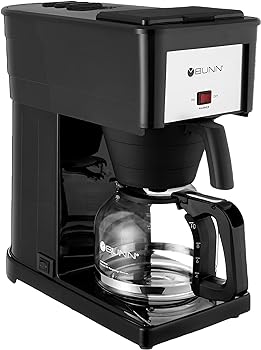
As the coffee maker goes to work, you can monitor the progress through the transparent water reservoir. It’s important not to open the lid while the coffee is brewing to maintain the proper temperature and extraction process. Bunn coffee makers are designed to heat water quickly and evenly, ensuring consistent results.

Care and Maintenance
Cleaning the Coffee Maker
Regular cleaning is essential to maintain the quality and longevity of your Bunn coffee maker.
Here’s a basic cleaning routine you can follow:
- After each use, discard the used coffee grounds and remove the filter.
- Wash the coffee pot, filter basket, and drip tray (if applicable) with warm, soapy water.
- Wipe down the exterior of the coffee maker with a damp cloth to remove any coffee splatters or stains.
- Periodically, remove and clean the water reservoir to prevent mineral buildup.
Descaling
Over time, mineral deposits can accumulate in your coffee maker, affecting its performance. Descaling is the process of removing these deposits.
Follow these steps to describe your Bunn coffee maker:
- Prepare a descaling solution using equal parts water and white vinegar.
- Pour the solution into the water reservoir.
- Run a brew cycle with the descaling solution (without coffee grounds) to clean the internal components of the coffee maker.
- Follow this with several cycles of plain water to rinse out any remaining vinegar taste.
Replacing the Filter Basket
The filter basket in your Bunn coffee maker is a removable component that should be replaced periodically to ensure optimal performance.
Follow these steps to replace it:
- Turn off and unplug the coffee maker.
- Open the top lid and remove the used filter and filter basket.
- Replace the old filter basket with a new one. Bunn offers replacement parts that are compatible with their coffee makers.
- Close the top lid, plug in the coffee maker, and turn it on to ensure the new filter basket is functioning correctly.
Regular Maintenance
Apart from cleaning and descaling, regular maintenance involves inspecting your coffee maker for any signs of wear and tear, such as frayed cords or damaged components. Be sure to follow the manufacturer’s recommended maintenance schedule to keep your Bunn coffee maker in top shape.
Customizing Your Brew
Adjusting Brew Time
Bunn coffee makers are known for their speed, but you can still customize the brew time to some extent. While the brew time is generally fixed for each model, you can control the strength of your coffee by adjusting the coffee-to-water ratio and using coffee beans with different roast levels.
Selecting the Right Coffee Beans
The type of coffee beans you choose will significantly impact the flavor of your coffee. You can experiment with various bean origins and roast levels to find the flavor profile that suits your taste. Light roasts tend to be more acidic and have a brighter flavor, while dark roasts are richer and more robust.
Coffee-to-Water Ratio
To customize the strength of your coffee, you can adjust the coffee-to-water ratio. More coffee grounds relative to water will result in a stronger brew, while fewer coffee grounds will yield a milder flavor. Keep in mind that the user manual might provide specific guidelines for the ideal coffee-to-water ratio for your particular model.
Temperature Settings
Bunn coffee makers are designed to brew coffee at the optimal temperature, which is around 200°F (93°C). This high temperature ensures that the coffee grounds are fully extracted, resulting in a rich and flavorful brew. You typically won’t need to adjust the temperature settings on a Bunn coffee maker, as they are preset for optimal performance.
Troubleshooting Common Issues
Slow Brewing
If your Bunn coffee maker is brewing more slowly than usual, there could be a few reasons for this issue.
Here’s how to address it:
- Ensure that the water reservoir is filled to the appropriate level for the number of cups you want to brew.
- Check the coffee funnel for any clogs or blockages, and make sure the coffee grounds are evenly distributed.
- Descale your coffee maker to remove mineral buildup that may impede water flow.
Coffee Overflow
Coffee overflow can be messy and frustrating.
To prevent it, follow these steps:
- Avoid overfilling the water reservoir.
- Make sure the coffee funnel is correctly seated in place with the lid securely closed.
- If you’re using too many coffee grounds, reduce the amount for future brews.
Weak Coffee
If your coffee tastes weak, it may be due to factors like the coffee-to-water ratio or coffee grind size.
To address this issue:
- Adjust the coffee-to-water ratio to add more coffee grounds for a stronger brew.
- Ensure you’re using fresh, high-quality coffee beans.
- Experiment with different coffee bean origins and roast levels to find the flavor profile you prefer.
Leaking Coffee Maker
A leaking coffee maker can be a sign of a faulty seal or damaged components.
Here’s how to troubleshoot this issue:
- Check the seal around the coffee funnel and ensure it’s clean and intact.
- Inspect the coffee pot or carafe for cracks or damage.
- If you discover a damaged component, contact Bunn’s customer support or refer to your user manual for replacement part information.
No Power
If your Bunn coffee maker is not turning on, you can take the following steps to address the issue:
- Check if the coffee maker is properly plugged into a functioning electrical outlet.
- Make sure the power switch or button is in the “on” position.
- If the coffee maker still doesn’t power on, it may be a faulty cord or internal component. In this case, contact Bunn customer support for assistance.

You Might Be Interested In
- Does Black And Decker Single Serve Coffee Maker Use K-cups?
- How To Turn Off Nespresso Essenza Mini?
- Why Is My Nespresso Essenza Mini Leaking?
- How Many Times Should I Clean My Nespresso Vertuo?
- 10 Genius Nespresso Vertuo Hacks You’ll Love
FAQs
How do I clean a Bunn coffee maker?
Cleaning your Bunn coffee maker is crucial for maintaining its performance. After each use, discard used coffee grounds, wash the coffee pot, filter basket, and drip tray (if applicable) with warm, soapy water, and wipe down the exterior of the coffee maker.
Additionally, periodically descale the coffee maker using a solution of equal parts water and white vinegar. Follow the manufacturer’s guidelines in your user manual for specific cleaning and maintenance recommendations.
Why is my Bunn coffee maker not brewing properly?
Several factors can affect your coffee maker’s performance. Ensure that the water reservoir is filled to the appropriate level, check for clogs or blockages in the coffee funnel, and verify the coffee-to-water ratio.
If your coffee maker is still not brewing properly, it may require descaling to remove mineral buildup or, in rare cases, there could be a faulty component that needs replacement.
What type of coffee should I use with a Bunn coffee maker?
You can use a variety of coffee beans with a Bunn coffee maker, but it’s essential to choose high-quality beans for the best flavor. Experiment with different origins and roast levels to find the flavor profile you prefer.
Freshly ground coffee beans typically produce the most flavorful coffee, so consider grinding your beans just before brewing.
Can I make iced coffee with a Bunn coffee maker?
Yes, you can make iced coffee with a Bunn coffee maker. To do so, brew a double-strength batch of coffee using twice the usual amount of coffee grounds. Allow the coffee to cool to room temperature, and then refrigerate it. When serving, pour the chilled coffee over ice and add your preferred creamers or sweeteners.
How often should I describe my Bunn coffee maker?
The frequency of descaling your Bunn coffee maker depends on the hardness of your water and how often you use the coffee maker. As a general guideline, it’s recommended to describe your coffee maker every three to six months.
If you notice a decrease in brewing speed or the taste of your coffee deteriorating, it may be time to descale more frequently. Use a descaling solution of equal parts water and white vinegar to remove mineral deposits.