


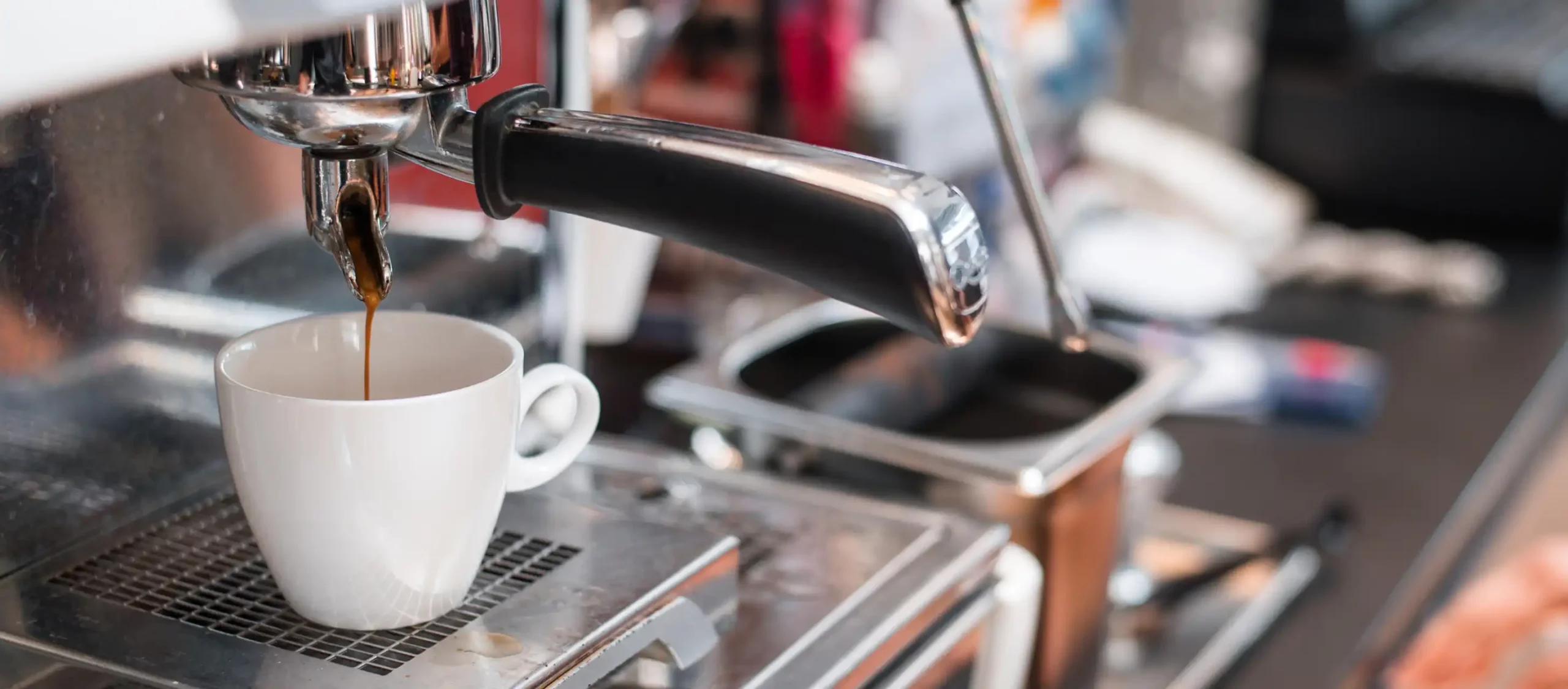
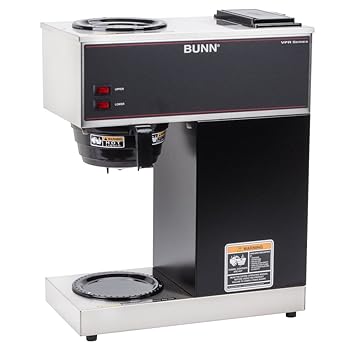
Bunn commercial coffee makers are renowned for their durability and reliability, making them a top choice for businesses, restaurants, and coffee shops. These machines are designed to deliver a consistent and delicious cup of coffee, and mastering their operation can greatly benefit your establishment.
In this comprehensive guide, we will walk you through the step-by-step process of using a Bunn commercial coffee maker. By the end of this article, you’ll be well-equipped to brew the perfect cup of coffee for your customers or employees.
Unboxing and Setup
Before you can start brewing delicious coffee, you need to set up your Bunn commercial coffee maker.
Follow these steps to get started:
Unbox the Coffee Maker
Carefully unpack your Bunn coffee maker and inspect it for any visible damage. If you notice any issues, contact the manufacturer or the seller for support.
Place the Coffee Maker
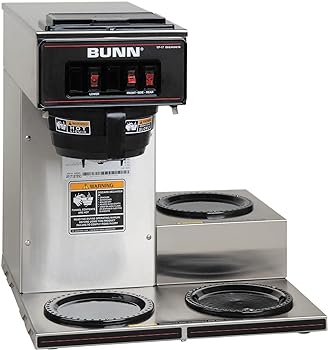
Find a suitable location for your coffee maker. Ensure it has a stable, level surface and is close to a power source and water supply. Bunn coffee makers are available in various models, including pour-over and plumbed versions, so choose the one that suits your needs.
Plug It In
Connect the coffee maker to a grounded electrical outlet that matches the machine’s voltage requirements. It’s essential to use a surge protector or an uninterruptible power supply (UPS) to safeguard your coffee maker from power fluctuations.
Water Source
If you have a plumbed model, connect the water line to the coffee maker. Ensure the water source is clean and meets the manufacturer’s water quality recommendations. If you have a pour-over model, you’ll need to manually fill the water reservoir. Use filtered or purified water for the best taste.
Initial Rinse
Run a cycle of plain water through the coffee maker to clean any internal components. This step helps remove any residue from manufacturing and ensures the machine is ready for brewing.
Preparing Your Bunn Coffee Maker
With the initial setup complete, it’s time to prepare your Bunn coffee maker for brewing.
Follow these steps to get it ready:
Add Coffee Grounds
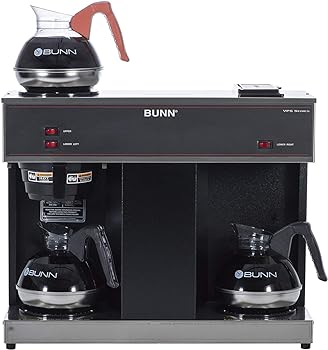
Open the coffee basket compartment, usually located on the top of the machine. Place the appropriate amount of coffee grounds into the basket. The exact quantity will depend on your machine’s specifications and the strength of coffee you desire. Refer to the manufacturer’s guidelines for this information.
Install a Filter
Place a Bunn-approved coffee filter in the coffee basket. Ensure it’s the correct size for your machine. Filters help prevent any sediment from ending up in your brewed coffee, providing a cleaner taste.
Close the Coffee Basket Lid
After adding coffee grounds and the filter, securely close the coffee basket lid. Make sure it’s properly locked in place to avoid any mishaps during brewing.
Warming Up
Turn on your Bunn coffee maker. It will go through a warm-up process to reach the optimal brewing temperature. Depending on the model, this might take a few minutes. Consult your coffee maker’s manual for precise warm-up times.
Brewing Coffee
Now that your Bunn coffee maker is prepped and ready let’s get into the brewing process:
Brew Cycle Initiation
Once your coffee maker is at the desired temperature, press the “Brew” button or lever. The machine will start the brewing process, which typically involves hot water passing through the coffee grounds and flowing into the coffee pot.
Brewing Time
Bunn coffee makers are known for their fast brewing times. The exact time it takes to brew a pot of coffee depends on the machine’s size and design, but it’s generally a quick process.
Collect the Coffee
As the coffee brews, it will flow into the coffee pot or carafe. Make sure you have a clean coffee pot ready. You can also get thermal carafes to keep the coffee hot for longer periods.
Serve
Once the brewing cycle is complete, your coffee is ready to be served. Pour it into cups or mugs and enjoy.
Cleaning and Maintenance
Maintaining your Bunn commercial coffee maker is crucial to ensure its longevity and the quality of the coffee it produces.
Here’s how to keep your machine in tip-top shape:
Daily Cleaning
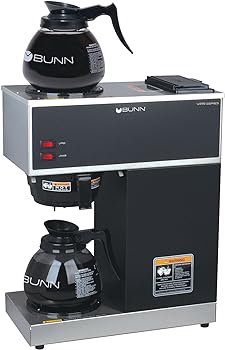
After each use, remove and discard the used coffee grounds and filter. Rinse the coffee basket and any removable parts, like the carafe, with warm water. Ensure they are thoroughly dry before reassembling the machine.
Weekly Cleaning
On a weekly basis, clean the exterior of your coffee maker using a mild, non-abrasive detergent. Wipe down all surfaces to remove any coffee stains or residue. Additionally, check the water reservoir and decalcify if necessary. Follow the manufacturer’s instructions for this process.
Deep Cleaning
Every few months, it’s a good idea to perform a deep cleaning of your coffee maker. This involves disassembling certain parts for a more thorough cleaning. Consult your coffee maker’s manual for detailed instructions on how to do this.
Regular Maintenance
Bunn coffee makers have certain maintenance requirements to ensure optimal performance. This may include replacing worn components, such as gaskets or spray heads, as well as descaling the machine to prevent mineral buildup. Regularly review the manufacturer’s maintenance recommendations to keep your coffee maker running smoothly.
Troubleshooting
Familiarize yourself with common issues and troubleshooting steps (discussed in the next section) to address any problems as they arise.
Common Issues and Troubleshooting
While Bunn coffee makers are known for their reliability, occasional issues may still arise.
Here are some common problems you might encounter and how to troubleshoot them:
Issue 1: Slow Brewing
If your coffee maker is brewing slowly, it could be due to mineral deposits or clogs in the water line. Try descaling the machine as per the manufacturer’s recommendations. If that doesn’t work, consult the manual for specific troubleshooting steps.
Issue 2: Dripping Coffee
Drips and leaks can occur if the coffee basket is not securely closed or if the coffee pot is not properly positioned. Ensure both components are in place and correctly aligned.
Issue 3: Weak Coffee
Weak coffee might result from using too few coffee grounds or a grind that is too coarse. Adjust the coffee-to-water ratio or try a finer coffee grind to improve the strength of your brew.
Issue 4: No Power
If your coffee maker doesn’t turn on, check the power source and ensure it’s properly connected. If there’s still no power, it could be a wiring issue or a malfunction, and you should contact the manufacturer or a professional technician.
Issue 5: Unusual Taste
If your coffee has an unusual taste, it could be due to old or stale coffee grounds, improper cleaning, or mineral buildup. Ensure your coffee maker and coffee grounds are fresh and clean. If the issue persists, consider descaling the machine and replacing any worn-out components.
Conclusion
In this comprehensive guide, we’ve provided a step-by-step overview of how to use a Bunn commercial coffee maker. From unboxing and setup to brewing coffee, cleaning, maintenance, and troubleshooting common issues, you’re now well-equipped to make the most of your Bunn coffee maker.
Remember that Bunn coffee makers are known for their robust performance, but proper care and maintenance are essential to ensure the longevity of your investment. By following the guidelines and addressing any issues that may arise, you can consistently brew delicious coffee that will delight your customers or satisfy your employees.
As you continue to use your Bunn coffee maker, don’t hesitate to refer back to this guide for any questions or concerns. With practice and attention to detail, you’ll master the art of brewing exceptional coffee, making your establishment a go-to destination for coffee lovers.
You Might Be Interested In
- How To Operate A Cuisinart Coffee Maker?
- How Do You Use A Hamilton Beach Coffee Maker?
- How To Make Coffee Without A Coffee Maker?
- How to Use a Keurig?
- How to Use a Single Use Milk Frother for Quick Frothing
Frequently Asked Questions
How often should I clean my Bunn coffee maker?
Daily cleaning is recommended, which includes removing used coffee grounds and rinsing components. For a more thorough cleaning, do a weekly wipe-down and deep cleaning every few months. Follow the manufacturer’s recommendations for maintaining your specific model.
Can I use any coffee grounds in a Bunn coffee maker?
Bunn coffee makers work best with high-quality coffee grounds that match the recommended grind size for your machine. Always use Bunn-approved filters, and follow the manufacturer’s guidelines for coffee-to-water ratios.
Why is my coffee maker taking longer to brew coffee than usual?
A slow brewing process can be caused by mineral deposits or clogs in the machine’s water line. Descaling the coffee maker is often the solution. If the issue persists, consult the manual for further troubleshooting steps.
How can I improve the flavor of my coffee?
To enhance the taste of your coffee, use fresh, high-quality coffee beans or grounds and ensure that your coffee maker is clean. Experiment with the coffee-to-water ratio to achieve the desired strength. Proper maintenance and regular cleaning will also contribute to better flavor.
Can I use a Bunn commercial coffee maker at home?
While Bunn commercial coffee makers are primarily designed for commercial use, some homeowners do opt for them due to their reliability and quality. However, keep in mind that these machines are often larger and may have higher power requirements than typical home coffee makers.